
Built for collision, PDR and hail repair
Run your entire body shop from one platform
Leads, estimates, work orders, production, customer updates, insurance evidence and finance run on one record per vehicle — so the shop stops re-typing the same job, repairs stop stalling unnoticed, and every car is accounted for from first contact to final payment.
30 minutes · your workflow, inside FastFlow · no slide deck
Not a CRM with a repair tab
Repair progress, parts logistics and financial state are tracked separately, because a car waiting on a backordered part is not the same problem as a car waiting on a technician — and the fix is not the same either.
Not an estimating tool that stops at the quote
The estimate becomes the work order, the work order becomes the final bill, and every dollar posts to real double-entry accounting. Nothing is entered twice, and nothing is reconciled by hand at month end.
Built for the floor, not just the office
Shop-floor screens pair with a six-digit code and no login, so no password sits on a monitor anyone can walk up to. Technicians can be scoped to only the jobs assigned to them.
From lead to delivery
Follow one repair all the way through
Seven steps, one record. Most shops run this across five systems that do not talk to each other, and pay for it in re-typing, stale status and questions nobody can answer. Here is the same job in one.
- 01
Capture the opportunity
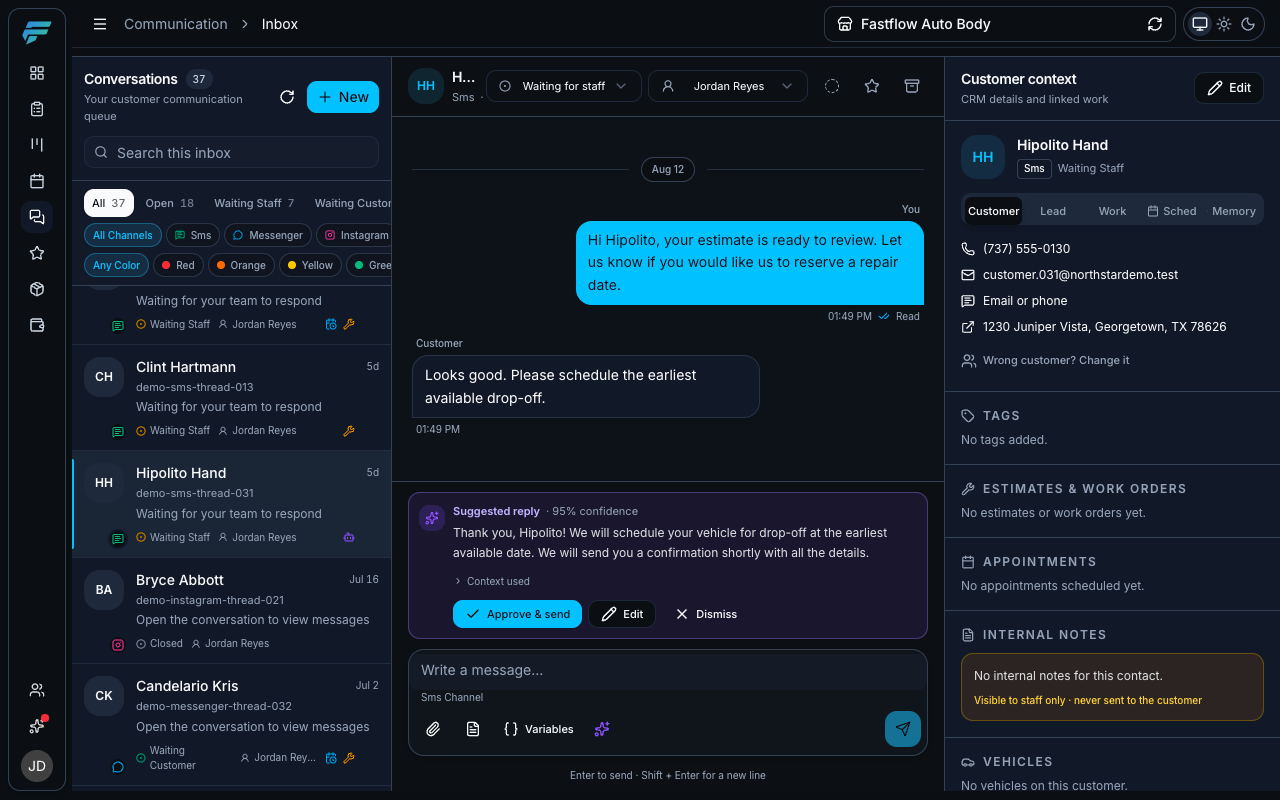
A text, a Messenger message, an Instagram DM, a walk-in. Today they land in four different places, and one of them is somebody’s personal phone.
- SMS, Facebook Messenger and Instagram arrive in one inbox
- An unknown number that texts in becomes a lead automatically
- Every thread has an owner and a state, so nothing sits unanswered
- The customer, vehicle and job sit beside the conversation
Communication Inbox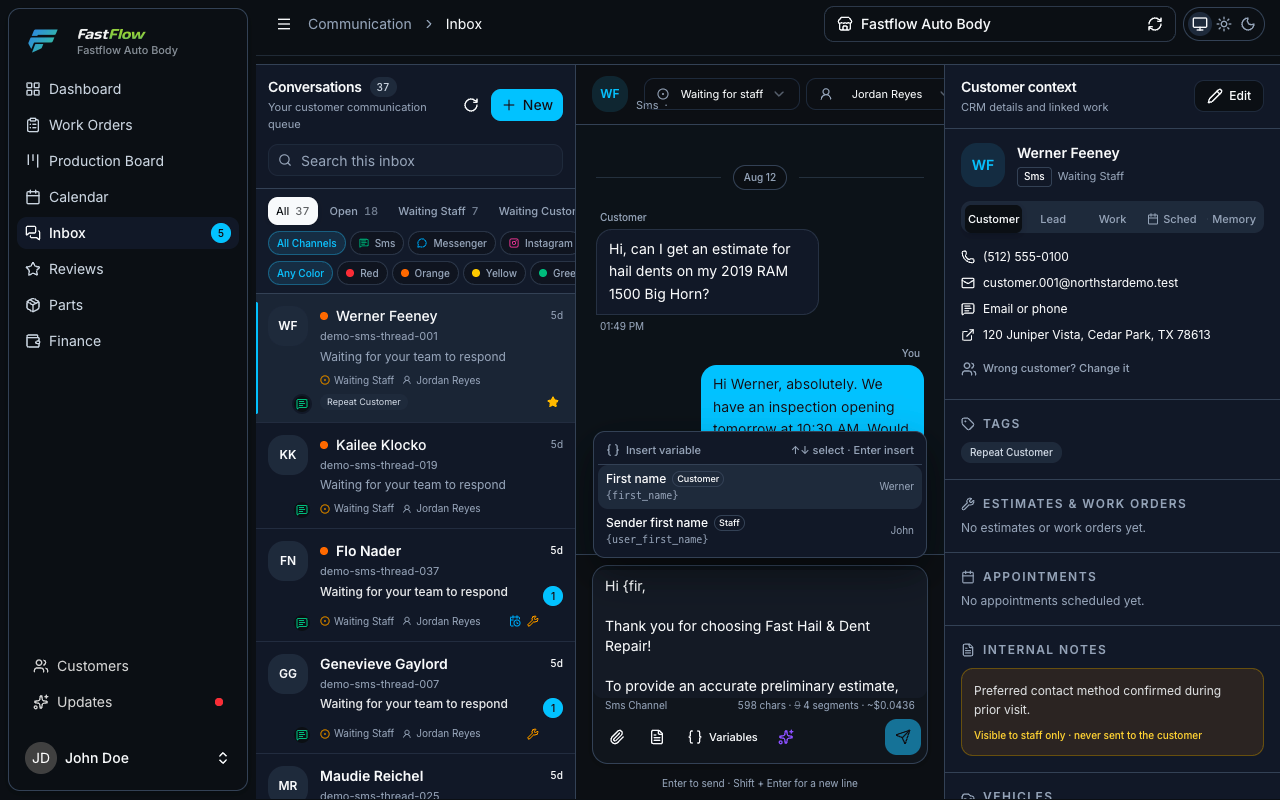
Three channels in one inbox, with the customer, vehicle and work order beside the thread — so whoever picks it up already knows the answer. - 02
Assess the damage
Damage is documented on the vehicle, not in a notes app — panel by panel, with the photos and dent counts an adjuster will accept without a second visit.
- Tap the panel on a diagram of the real body style
- Grade hail damage by dent count and coin size, per panel
- Corners, VIN, odometer and plate prompted slot by slot, so nothing is missing later
- Mark each photo internal, customer, insurance, or both
Triage damage assessment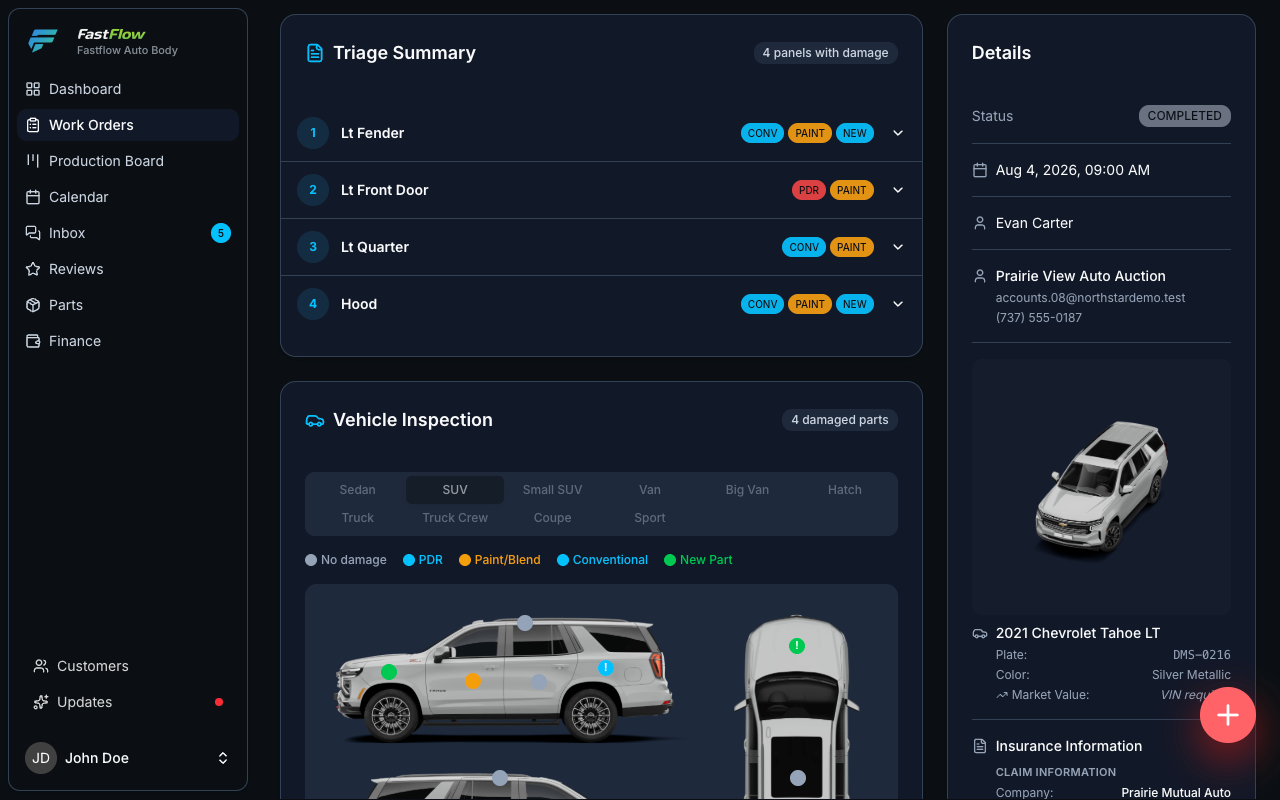
The damage map: panel, repair method and dent grade recorded on a diagram of the real body style, not typed from memory at the end of the day. - 03
Price it and get it approved
The assessment becomes the estimate. It is priced from your own matrix, printed in the format adjusters expect, and approved from the customer’s phone.
- One price matrix per insurer, plus retail
- Panels the matrix does not cover are priced by amount or hours
- The customer signs on their phone — no account, no app, no download
- They can ask for a discount or a change without killing the quote
Estimate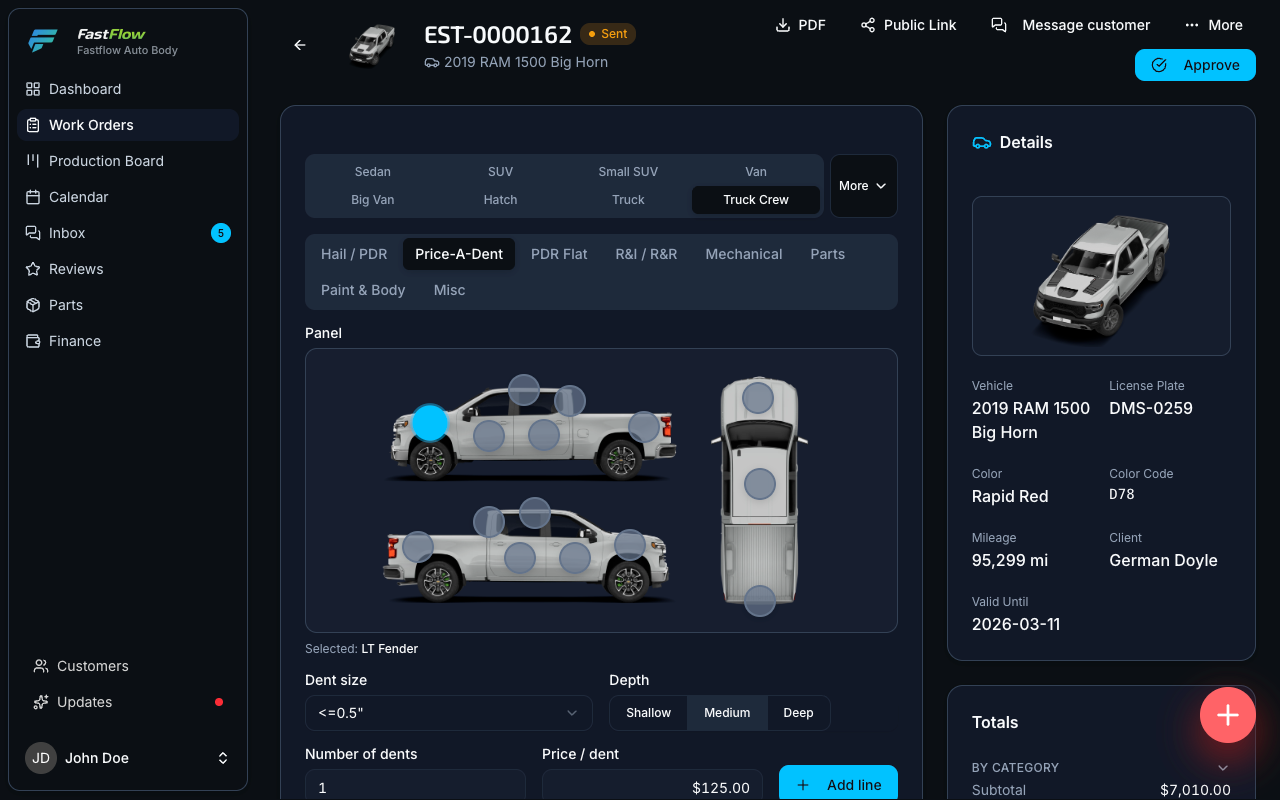
Line items across eight categories, priced from the shop’s own matrix — with the surcharges applied frozen onto the line. - 04
Run production
The approved estimate becomes the work order, and the work order drives the board. Repair progress, parts and money move on separate dials — so a car waiting on a backordered bumper is never counted as a car waiting on a technician.
- Every open job in columns by repair stage or parts stage
- Technicians assigned per service item, with their commission split
- Supplements raised mid-repair and tracked to approval
- The board raises what is stuck before anyone has to notice it
Production Board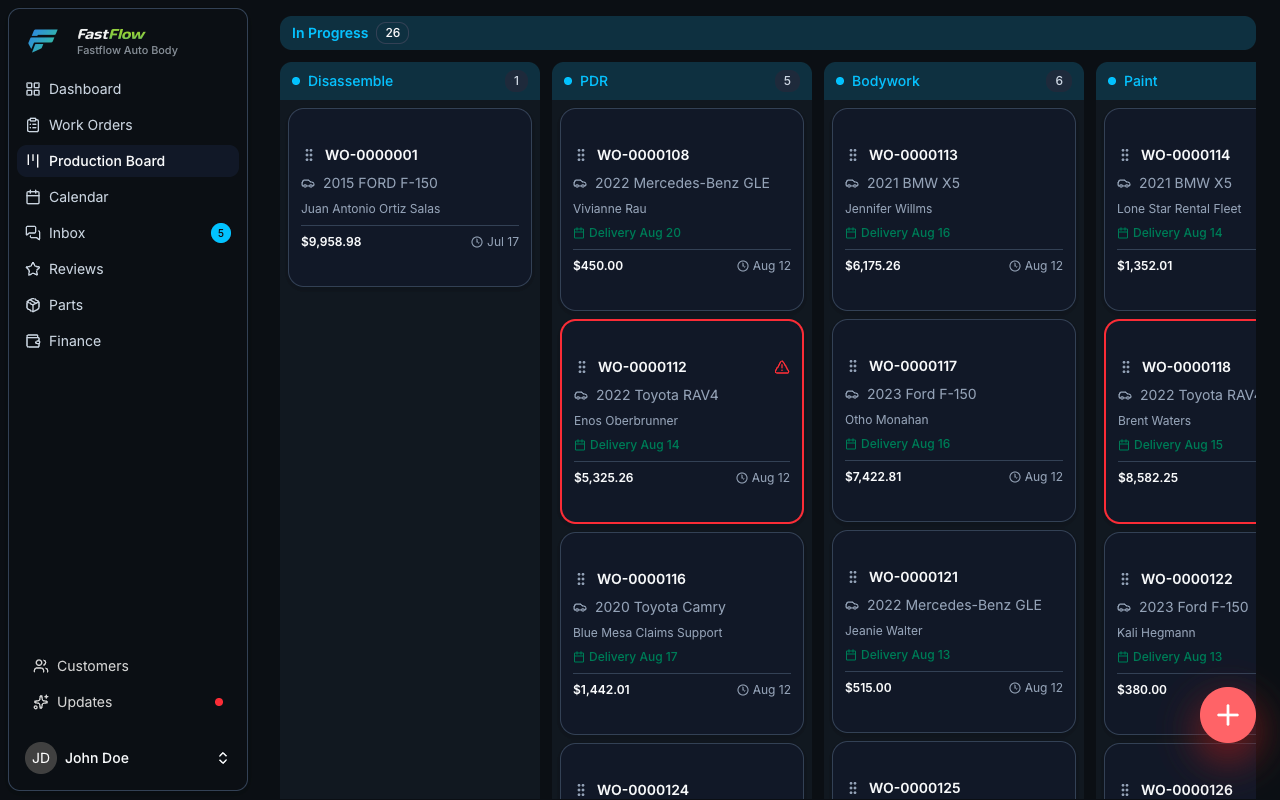
Every open vehicle by repair stage, with blockers visible before they turn into delays. - 05
Keep everyone informed
Production status is what the customer actually wants to know. The calls stop when the answer already lives on a link they bookmarked.
- A branded tracker showing the stage timeline and shared photos
- One evidence link for the adjuster, with full-resolution photos and a ZIP download
- Annotated damage for the insurer, clean originals for the customer
- Fleet managers see every one of their vehicles on one page
Customer repair tracker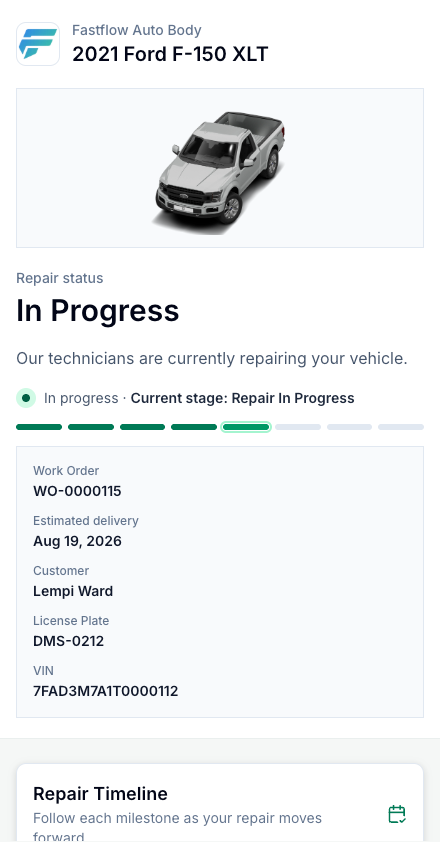
The customer tracker: stage timeline and shared photos on a branded link, with no account to create. - 06
Get paid
The completed repair drives the bill. The final bill comes off the work order, business customers get one consolidated invoice across their vehicles, and the ledger balances underneath all of it.
- Adjust the closeout invoice without touching the numbers technicians are paid from
- One consolidated invoice across many finished vehicles
- Apply one customer payment across multiple work orders automatically
- Every discount and write-off recorded with its reason
Finance overview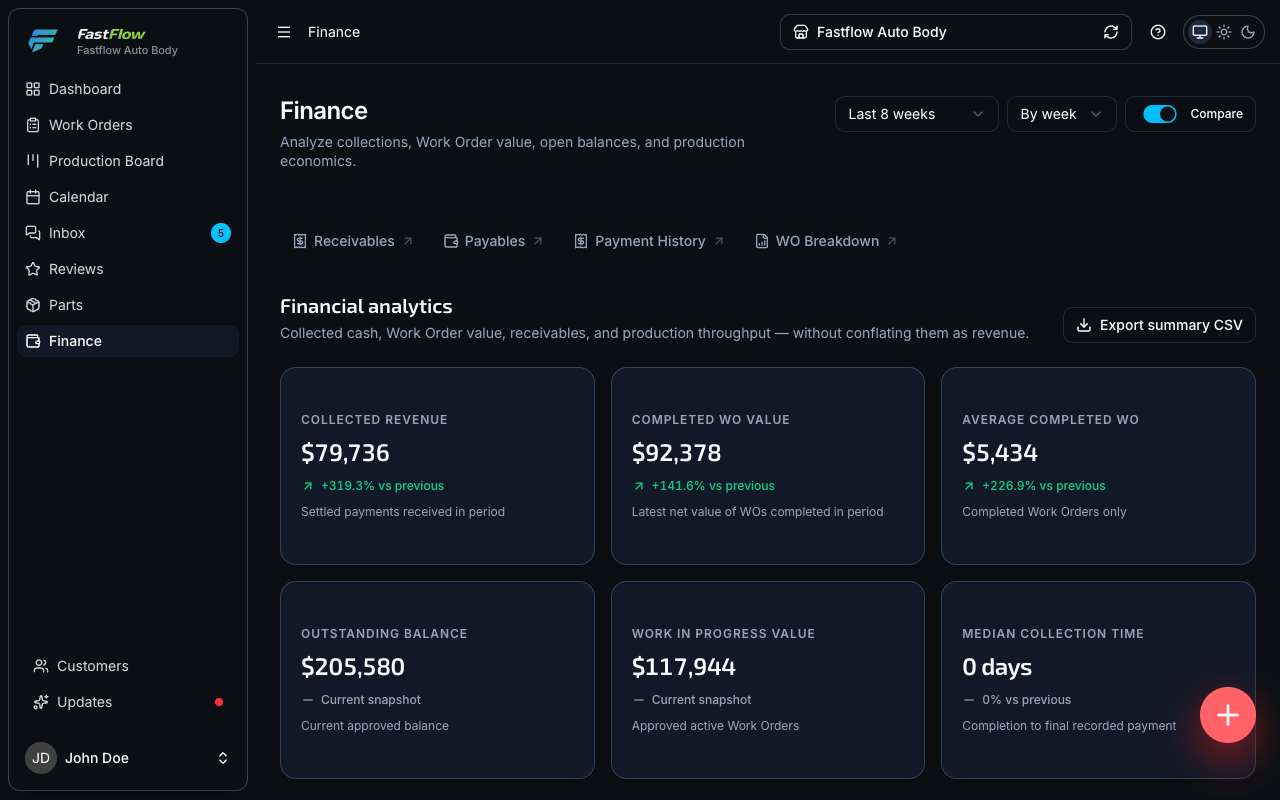
Money collected, money owed and work nobody has approved yet, kept as three separate numbers. - 07
Understand the business
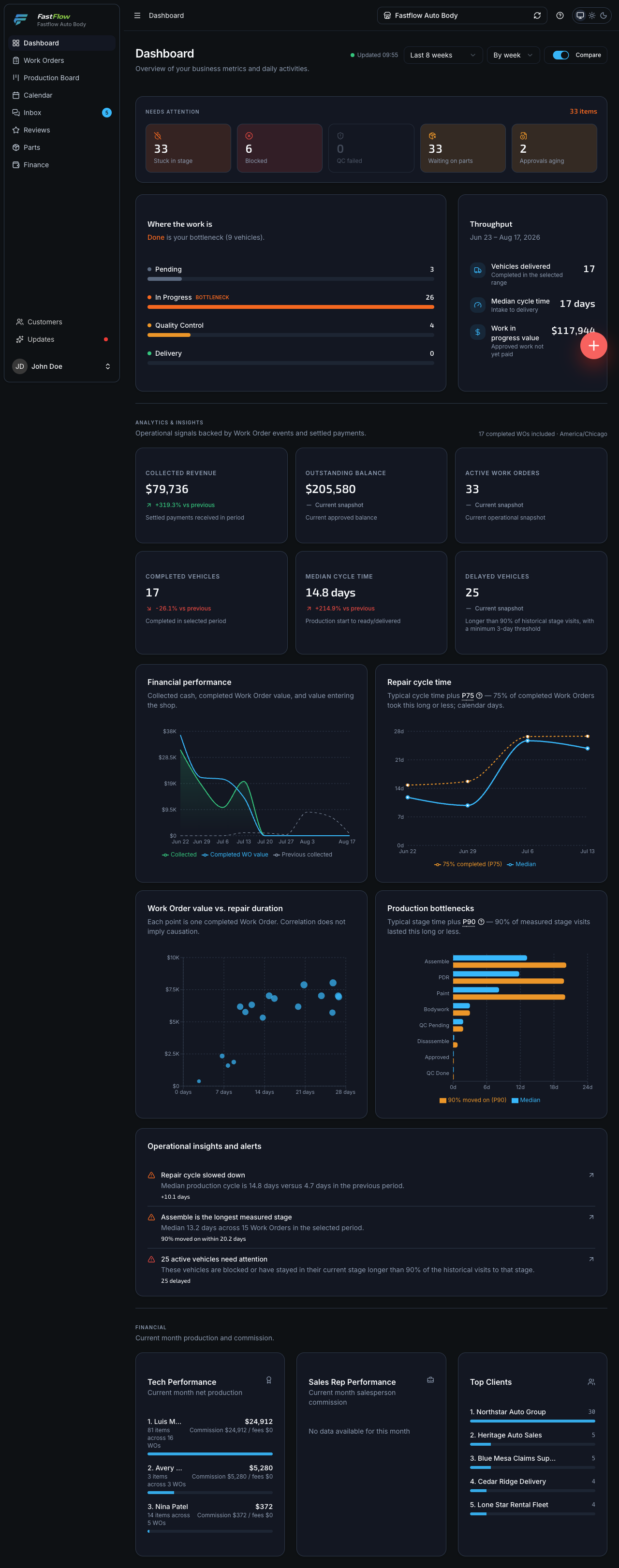
Everything above leaves a trail of real events, and the numbers are computed from it. Not a wall of charts — the handful of figures that tell you whether the month worked.
- How long vehicles actually stay — the median, and the P90 that hurts
- Which stage is eating the week
- How much money is tied up in vehicles you have not delivered
- What is outstanding, and how long it takes to collect
Analytics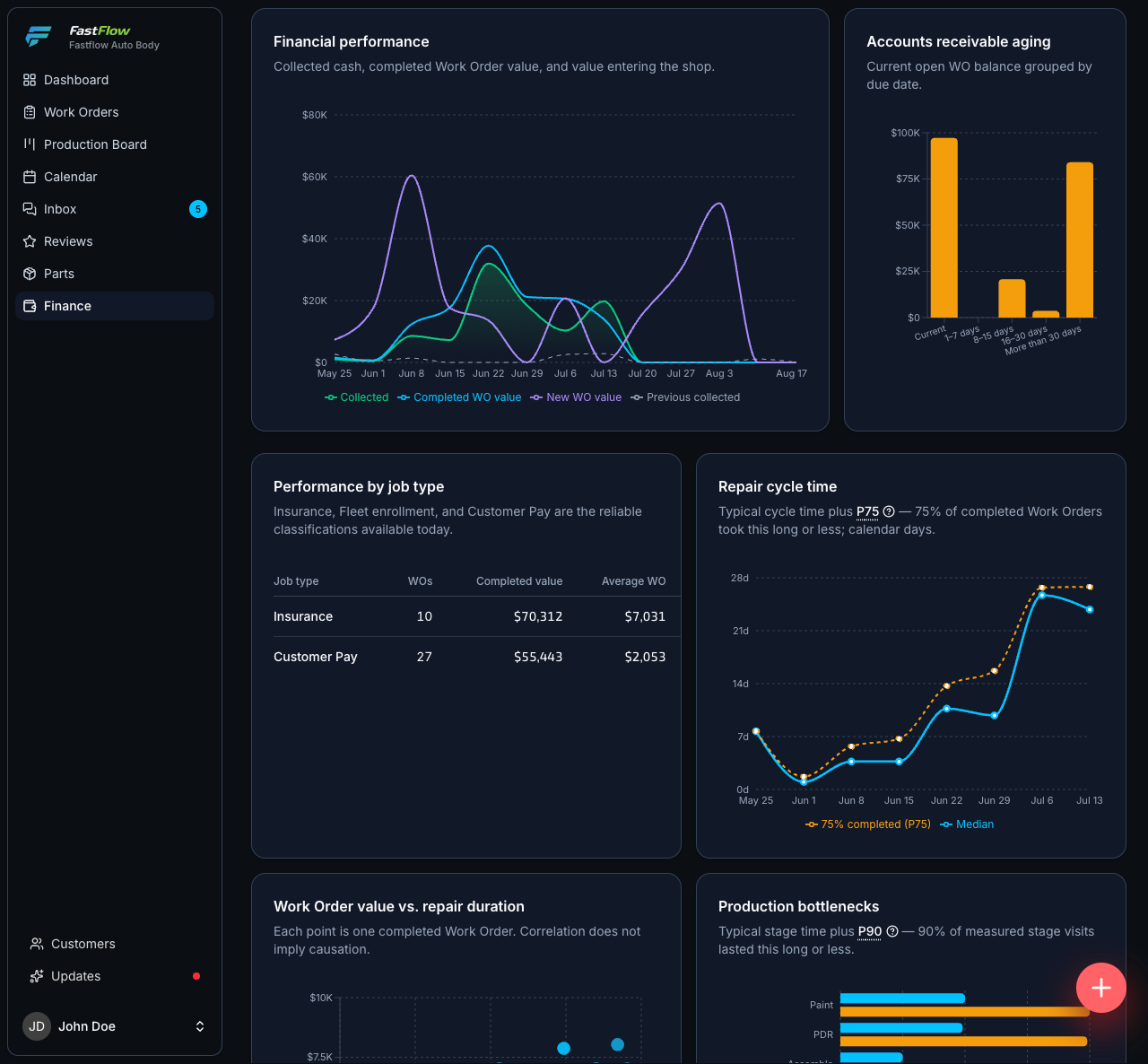
Cycle time, stage bottlenecks and work in progress, computed on request from the same records the floor is working against.
The real competitor
Stop running your shop across five different systems
None of these are bad tools. The problem is the gaps between them — the re-typing, the status that is current in one place and stale in another, and the questions nobody can answer without opening four tabs. FastFlow closes the gaps by keeping the whole repair on one record.
- Customer list Today A CRM, or a spreadsheet FastFlow One customer record, searchable by anything you remember
- Texts and DMs Today Somebody’s personal phone FastFlow One inbox for SMS, Messenger and Instagram, on your numbers
- Estimates Today Estimating software FastFlow Priced from your own matrix, signed on the customer’s phone
- Production status Today A whiteboard FastFlow One board, every vehicle by stage, blockers raised for you
- Insurance evidence Today Email threads FastFlow One link per claim, full resolution, with open tracking
- Fleet billing Today A second spreadsheet FastFlow One consolidated invoice across the whole account
- Invoices and payments Today Accounting software FastFlow A double-entry ledger under every number
- Cycle time Today Nothing FastFlow Median, P90 and stage bottlenecks, from live data
Practical AI
AI that understands the repair, not just the conversation
A generic assistant can write a polite sentence. It cannot tell the customer the bumper is backordered, because it has never seen the work order. FastFlow’s assistant sits next to the operational record, and it still waits for a person before anything sends.
It reads your records, not just the thread
Drafts are built from the vehicle, the work order status, the parts state, the reason a job is blocked and the scheduled delivery date — the same facts the front desk would have to look up.
Nothing sends without a person
Every suggestion waits for someone to approve, edit or discard it — and approving is its own permission, separate from the permission to reply at all.
When it is unsure, it says nothing
If something the assistant remembers contradicts your records, it is withheld from the draft entirely and the topic is flagged. It never argues with your system of record.
Built for how you operate
Four operations, one platform
Same platform, same connected record. What changes is which parts of it carry the weight.
PDR & hail repair
A price matrix per carrier, dent counts by panel and coin size, and evidence adjusters accept — held together at storm volume.
Learn moreCollision & body shops
Estimates that become work orders, parts and supplements tracked to approval, and production visible on the floor.
Learn moreFleet operations
Import the fleet from a spreadsheet, give the manager a self-service portal, and bill the month on one invoice.
Learn moreDealership vendors
Batch intake by stock number, per-unit tracking the dealer checks themselves, and one monthly statement.
Learn moreSee it running on your own numbers
30 minutes, screen shared: your workflow inside FastFlow, from intake to final payment. No slide deck.